


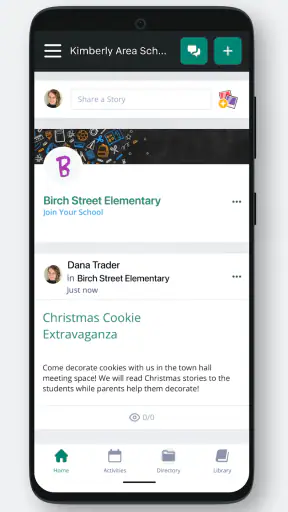
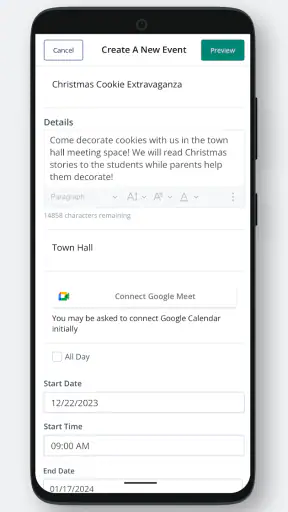
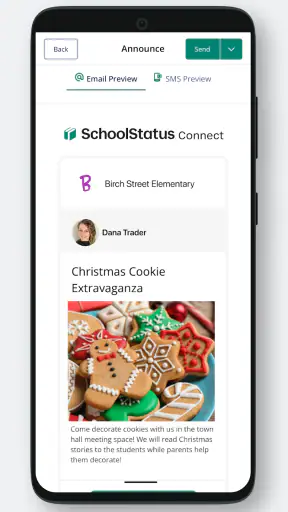
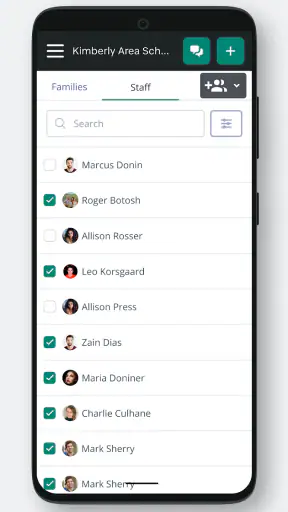
When a school needs a dependable way to keep families and teachers in the same conversation, SchoolStatus Connect takes a practical approach: it puts classroom messaging in one place instead of leaving communication scattered across email threads, paper notes, and unrelated chat apps. I reviewed it as an education app from SchoolStatus, LLC, and its strongest quality is not flashy technology. It is the attempt to make routine school contact easier to follow.
That focus matters because family-teacher communication usually fails in small, familiar ways. A message gets buried, a parent misses a reminder, or a teacher has to repeat the same information through several channels. A dedicated school messaging app can reduce that friction, provided the school community actually uses it consistently. In my experience, that is the central question here: not whether the app can replace every school system, but whether it can become the clear place to check for classroom communication.
The app is free and rated for Everyone, which makes it approachable for families with different levels of technical confidence. It has passed the million-install mark and holds an average rating of 4.8 from roughly 7,500 ratings, a sign that many users find its basic purpose worthwhile. I would still judge it by the communication habits it supports, because a high rating cannot make an inactive classroom channel useful.
One clear communication channel for school life
The capability that makes the difference
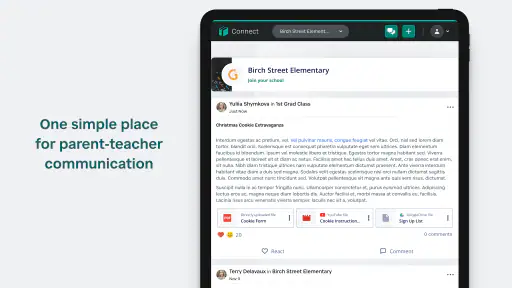
The most important capability is the shared messaging space between families and teachers. Rather than treating communication as an occasional announcement, SchoolStatus Connect is designed around an ongoing connection between home and classroom. That changes the role of the app: it is less like a general social network and more like a focused inbox for school-related contact.
I like this distinction. Parents do not need another place for entertainment, and teachers do not need a complicated platform when the immediate task is to send or receive a school message. Keeping the purpose narrow can make it easier to recognize what deserves attention. A classroom update, a question about a student, or a reminder can remain associated with the school context instead of being mixed with personal conversations.
The real benefit is continuity. When communication stays in one school-oriented environment, families have a better chance of seeing the same information that teachers intended to share. Teachers, meanwhile, can avoid relying entirely on personal phone numbers or informal messaging habits. That separation is useful for boundaries as well as convenience: school communication feels like school communication.
There is also a subtle benefit for families who share responsibility for a child. A dedicated classroom channel can be easier to consult than a message passed verbally from one adult to another. If a parent is working during the day, another caregiver can check the same school communication space later. The value is not just speed; it is reducing the chance that an important detail depends on memory.
How I would use it during an ordinary week
After installing the app, the first practical task is making sure the correct school or classroom connection is available. This is not an app I would expect to be useful in isolation. The school, teacher, or district needs to have established the communication relationship, so a parent should follow the invitation or setup instructions provided by the school rather than assuming that downloading the app automatically reveals classroom information.
Once the connection is in place, I would treat the app as a scheduled check-in rather than a stream that must be watched every minute. Checking after school and again in the evening is a sensible routine for many families. It keeps messages visible without turning the phone into a constant interruption. Teachers can also benefit from this rhythm because they can communicate through the established channel without making every message feel like an emergency.
A realistic example would be a child who has a change in classroom plans. A parent may not be able to answer a call during work, while a teacher may not have time to contact every family individually. A message in the classroom communication channel gives the family a place to review the update when available. If the parent needs clarification, the conversation remains connected to the original school context instead of beginning from scratch in a separate app.
Another useful workflow is reviewing communication before contacting the teacher. I would first look through the recent conversation to see whether the question has already been addressed or whether the teacher has posted a relevant explanation. This small habit can prevent duplicate questions and save time on both sides. It also makes the app more valuable than a simple notification tool: the history can provide context for a conversation.
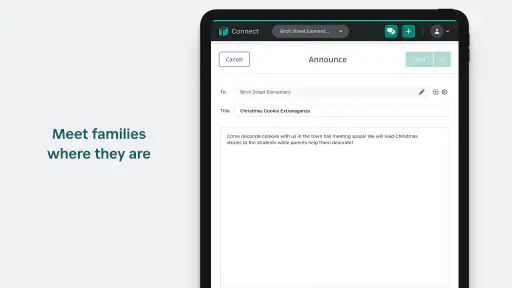
For teachers, the practical discipline is to write messages that work well when read later. A short opening that identifies the class or topic, followed by the action a family needs to take, is easier to understand than a vague announcement. The app can provide the channel, but clarity still depends on the person writing the message. I would not blame the software for a confusing message, but I would use its focused setting as a reason to keep school updates concise.
What the best everyday scenario looks like
SchoolStatus Connect is at its best when a school has several small updates to share and families need a reliable place to find them. Imagine a parent managing work, transportation, and more than one child. A teacher sends a classroom message, and the parent checks it during a break rather than searching through email or waiting for a paper notice to come home. Later, the parent can return to the same school communication space when helping the child prepare for the next day.
This scenario shows why the app is more useful for ongoing classroom contact than for a single announcement. The advantage builds over time. Each message reinforces the habit of looking in one place, and each family becomes less dependent on informal relays. That can be especially helpful when a household has changing schedules or when a child is not always the person who remembers to pass information along.
I also see value for a teacher who wants to keep communication connected to the classroom rather than distributing updates through personal accounts. The teacher can use the school-oriented channel as the default point of contact, while families know where to look. That does not eliminate every communication problem, but it can reduce the number of places where a message might disappear.
The app is less compelling when the school rarely uses it or when a family already has a well-organized communication process that everyone follows. A tool cannot solve a participation problem. If one teacher uses it, another uses email, and important information appears elsewhere, the family still has to monitor multiple channels. In that situation, the app may add another destination instead of simplifying the routine.
Where it differs from ordinary alternatives
Email is the obvious alternative, and it remains better for long documents, formal records, and communication that needs careful formatting. SchoolStatus Connect has a different advantage: its purpose is narrower and more classroom-centered. I would prefer email for a detailed letter or attachment-heavy message, but I would prefer a dedicated school messaging channel for quick, recurring contact that families need to recognize immediately.
General chat apps can feel faster, but they often mix school communication with personal conversations, notifications, and unrelated groups. They may also blur boundaries between a teacher’s professional role and private contact details. A school-focused app is a better fit when the goal is to keep the relationship organized around the classroom rather than around personal phone accounts.
Paper notices still have a place, particularly for households with limited digital access or for information that must travel home physically. The weakness of paper is that it can be misplaced, forgotten in a backpack, or seen by only one caregiver. A digital classroom channel is easier to revisit, but it assumes that families can access it and that the school maintains the habit of posting there.
Full learning-management systems may offer more academic structure, such as assignments, course materials, or grade-related workflows. I would choose those systems when the central need is managing coursework. I would choose SchoolStatus Connect when the central need is direct family-teacher communication. Expecting this app to replace every academic platform would be a mistake; its value comes from keeping communication focused.
The tradeoffs I noticed
The first tradeoff is dependence on school adoption. A parent can install the app for free, but the experience depends on being connected to the right school or classroom and receiving messages through that channel. Before making it the only place to check, I would ask the school which kinds of updates belong there and which still arrive through another system. That simple question prevents missed information.
The second tradeoff is notification pressure. A messaging app can make communication more accessible, but it can also encourage families to feel that every message requires an immediate response. I would set a personal checking routine and avoid treating ordinary classroom updates as urgent unless the message clearly says so. Teachers benefit from the same boundary: a channel for communication should not automatically become a promise of instant replies.
The third tradeoff is that a focused app may feel limited to someone looking for a complete school-management suite. Its strength is the conversation between families and teachers, not an all-purpose dashboard for every academic task. If your priority is tracking assignments, storing course files, or managing a broad set of school records, another platform may be more suitable alongside it.
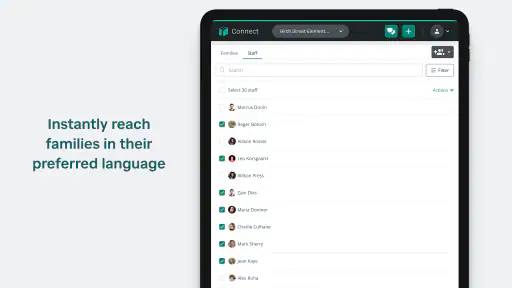
There is also a human limitation that no interface can remove. Families may speak different languages, have different schedules, or need more context than a short message provides. I would use the app as a starting point for clear contact, not as a substitute for a thoughtful conversation when an issue is sensitive or complicated. For serious concerns about a child, a message may be useful for arranging contact, while a longer discussion may still be the right next step.
Small habits that make the app more useful
My first tip is to make the app part of an existing routine instead of relying on random notifications. Checking it at a predictable time helps a family notice updates without constantly checking the phone. It also makes it easier to remember that school communication may be waiting even on a quiet day.
My second tip is to keep questions specific. A message such as “Could you clarify the reading task for tomorrow?” gives a teacher a clear starting point. A broad message about a child’s progress may require several exchanges before the real question is understood. The app works best when its convenience is paired with enough detail to produce a useful reply.
My third tip is to use the conversation history as a reference before sending a follow-up. This is particularly helpful when several messages concern the same classroom topic. Reviewing earlier context can reveal an answer, prevent repetition, and help a parent write a more informed question. It is a simple workflow, but it is one of the reasons a dedicated messaging space can be more useful than a one-off notification.
My fourth tip is to agree on the school’s communication boundaries early. Families should know whether the app is intended for routine questions, announcements, or both, and teachers should make clear when a matter needs a phone call or meeting. The app cannot define those expectations by itself, but using it within an agreed routine makes the channel calmer and more predictable.
Who gains the most from it
I would recommend SchoolStatus Connect most strongly to families whose schools actively use it as a central classroom communication channel. It is a good match for parents who want school messages separated from personal chats and who appreciate being able to revisit communication later. It can also help caregivers who are not always present at pickup or who need a shared digital place to stay informed.
Teachers may appreciate it when they want a clearer boundary between classroom contact and private messaging. The benefit is strongest when the whole class follows the same communication habit. Consistency matters more than the number of available tools: one well-used channel is usually better than several half-used ones.
I would be more cautious for families whose school has not clearly adopted the app, whose internet access is unreliable, or whose primary need is academic task management rather than messaging. In those cases, email, paper communication, a learning-management system, or a direct school process may be a better fit. The app should support the school’s workflow, not force a family to maintain another disconnected routine.
On Android, the current version is 1.36.3 and supports devices running Android 5.0 or later, so it is designed to remain accessible on older Android hardware. That is useful for families who do not replace phones frequently. I would still keep the device’s operating system and notifications maintained, since a messaging app is only helpful when it can be opened and checked reliably.
My recommendation after using it
SchoolStatus Connect succeeds by concentrating on one practical problem: helping families and teachers communicate in a school-specific setting. Its free access, Everyone age rating, and broad adoption make it easy to consider, but the real deciding factor is whether your school uses it consistently. When it does, the app can replace a messy collection of reminders with a clearer routine for checking classroom messages.
I would not describe it as a replacement for email, a learning platform, or every form of school contact. Its role is more precise, and that precision is its advantage. For routine family-teacher communication, I found the focused approach easier to understand than a general chat app and less cluttered than a broad academic system.
My final view is positive, with one important condition: treat it as the school’s communication channel only when the school has made that expectation clear. If teachers and families use it regularly, it can make everyday coordination noticeably smoother. If communication remains divided across several services, its benefits will be reduced. For households looking for a straightforward education app centered on classroom messaging, SchoolStatus Connect is a sensible free option to try.


